Relay is a JavaScript framework for fetching and managing GraphQL data in React applications that emphasizes maintainability, type safety and runtime performance <br> <br> i'd simply summarize it as very opinionated
with only that snippet it'll fetch the next 5 in the list and automatically mereg them to the previous data , if you've worked with apollo-client/urql/react-query you'll appreciate this simplicity
### complex application which relies on big queries composing a framents for every component , then letting their compiler stich them together into the most optimum query is magic
Downsides
the setup process is tedious and the cmmunity documentatin is really scarce
it doesn't have loading states and error states directly in the query results and you'll have to wrap compnents in Suspense and ErrorBoundary
typescript
1const res =await response.json()
2if(!response.ok){
3thrownewError(res.message,res)
4}
5
6// Get the response as JSON
7return res;
i also added that snippet to throw an error if the status wasn't ok becasuse errors from this specific graphql api were embedded as the response which would cause relay client to error out withut knowing what specific error was returned
the documentation can compund your confusion
the prefetching feature in usePreloadedQuery which is recomemnded fetch strategy is not supprted in react-router but this can be side sepped by just using uselazyLadedQuery instead
requires the server to have a compliant schema in my case am using the github graphql api , but if you had your own server yu culd use something like Hasura or just follw the spec specified when making your own
you can transform your response before it's passed into the provider if you still want to use it with our current data like shown in this tutorial
usage
npm install
add .env file with your github personal access token
typescript
1VITE_TOKEN= your_personall_access_token
npm run dev > this will only run the compiler once , my attempts to run the compiler wit the --watch flag were futile so i run npm run relay in another terminal everytime i change the query
one of the things i wanted was to list all the branches and list all the cmmits under each branch with pagination on both layers , paginnatating over the first layer worked with react query but the pproblems kept piling and the experience got more inconsistent when trying to do nesetd pagination , apollo wasn't great at it too , Urql was the worst sinceit's pagination strategy was swapping out variables to trigger the re-rener and in all of the above you'd have to merger arrays that are nested almost 3 levels deep that was very inefficient , didn't workas expected so i switched to relay and it fixed that issue remarhably well
Note: in cases like these i'd usually break the query down and execute thechild query in the cild component but in this case this was the query:
typescript
1exportconstREPOREFS= gql`
2# github graphql query to get more details
3querygetRepoRefs(
4$repoowner:String!
5$reponame:String!
6$first:Int
7$after:String
8$firstcommits:Int
9 $$aftercommits:String
10){
11repository(owner:$repoowner,name:$reponame){
12nameWithOwner
13
14#refs: get branches and all the recent commits to it
giving the child compnents relative autonomy and isolating changes and re-renders to the corresponding components
lastly , it (relay-compiler) generates types for you , they have a weird ting with flow in all their examples but it'll gererate typescrit types if you define it in the compiler options in the package.json
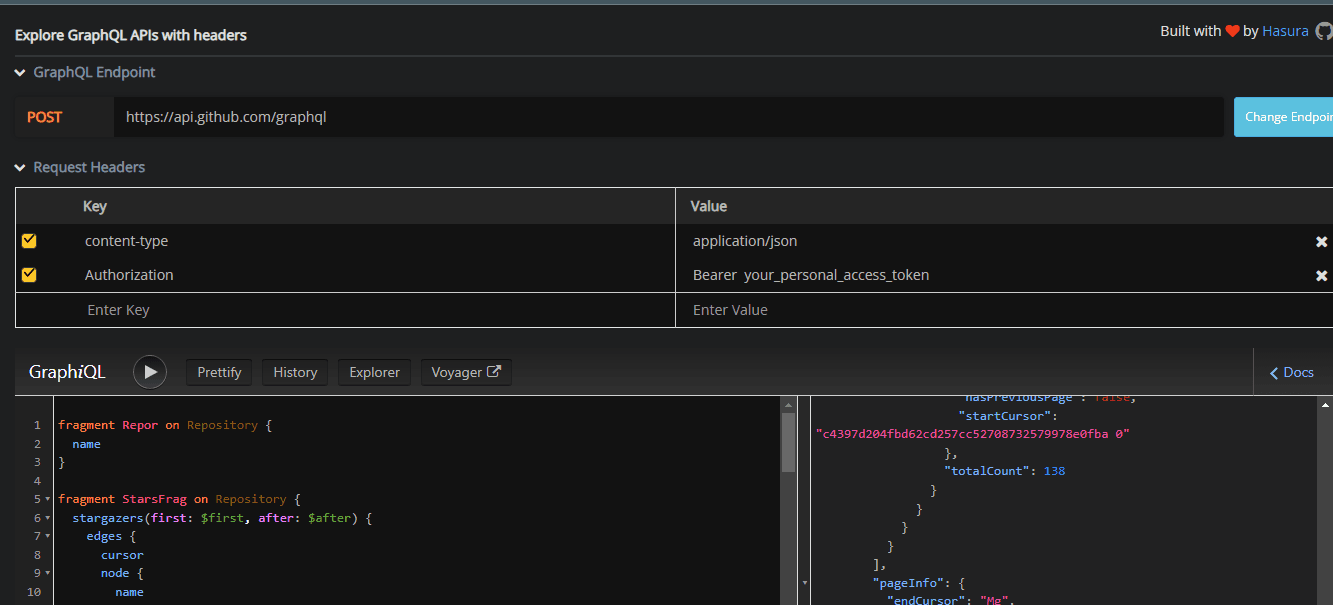
to configure for github graphql api just add your personal access token in the headers and cchange the endpoint
gql playground by hasura
and test out queries , hit ctrl spacebar to get autocomplete and field suggstion.
this package and the compiler rely on babel , i sued vite react fro this projectandit doesn't use babel as the build tool but there's a plugin that helps with that
Also just in case you're building something from the ground up consider a different router